About the Glean Browser Extensions
By default, a user must access Glean by explicitly typing https://app.glean.com into their browser, or by clicking the Glean tile in your company's SSO App Library. Both of these options have significant friction to them, and on their own, lead to poor adoption of Glean.
The best way to drive Glean adoption at your company is by deploying the browser extension to their corporate devices.
Supported Browsers
The Glean Browser Extension is available for:
- Chrome
- Firefox
- Edge
- You must enable the Allow extensions from other stores setting to install Glean.
- Safari
- Brave
Extension Features
The Glean Browser Extension provides a better user experience and creates habits for higher adoption and usage, allowing all of your employees to get the most out of Glean.
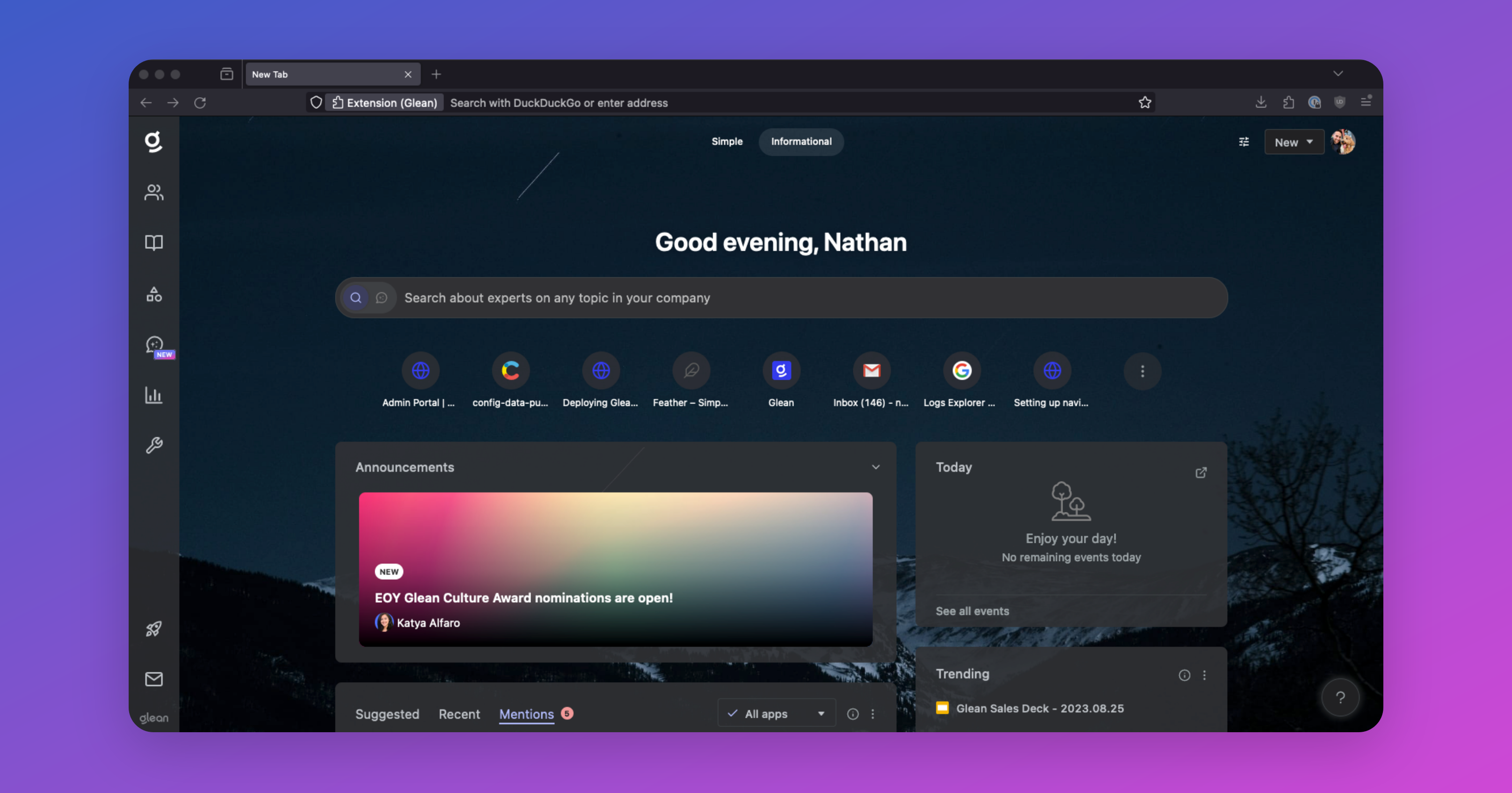
New Tab Page
The default New Tab Page is replaced with Glean’s search for quick access to search, suggested items, and calendar.
Sidebar
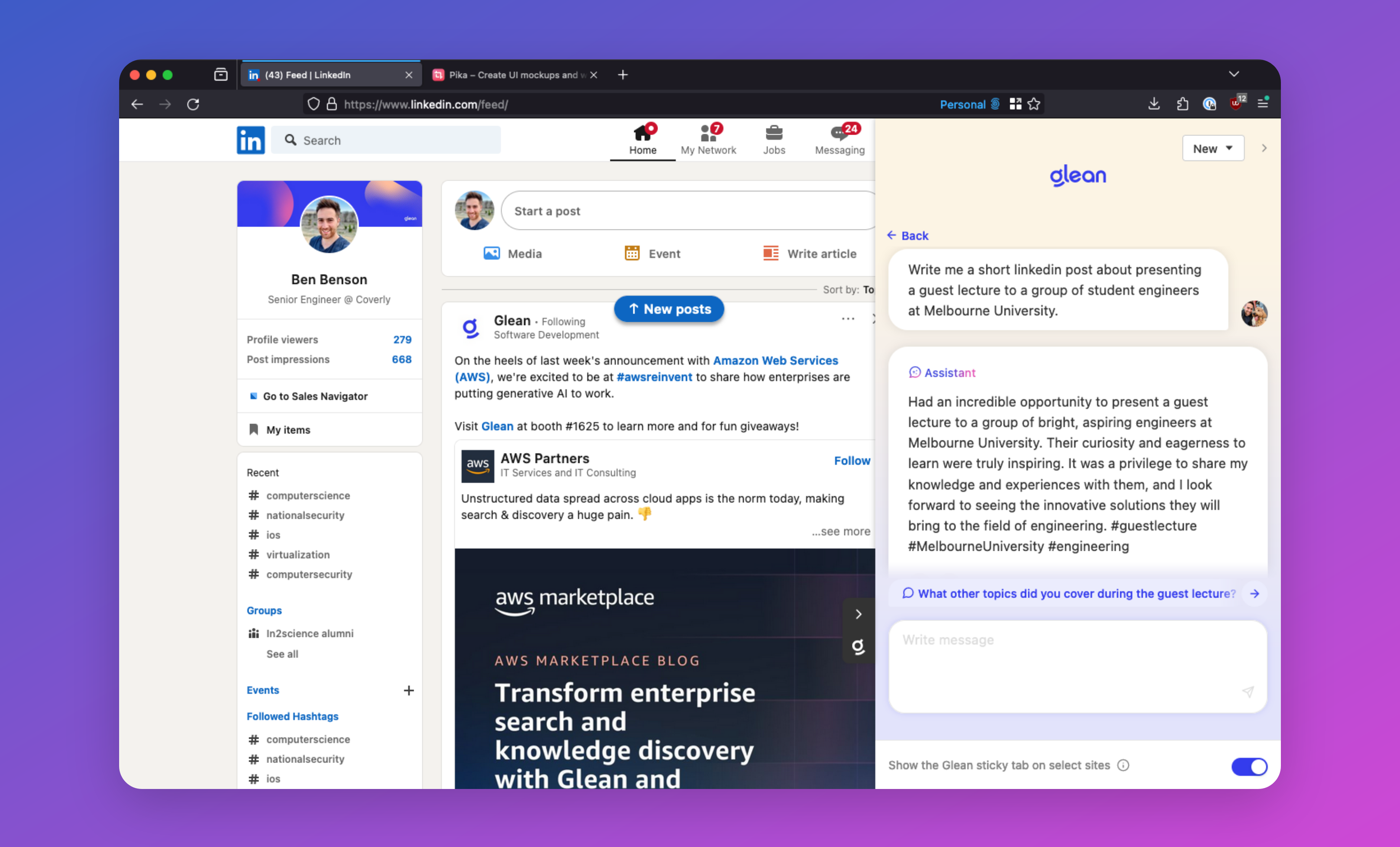
Open Glean search or Assistant in a sidebar on any page. This allows for a quick search without breaking flow. On some apps, the sidebar can be accessed via sticky tabs on the right.
Native Search Replacement (Embedded Search)
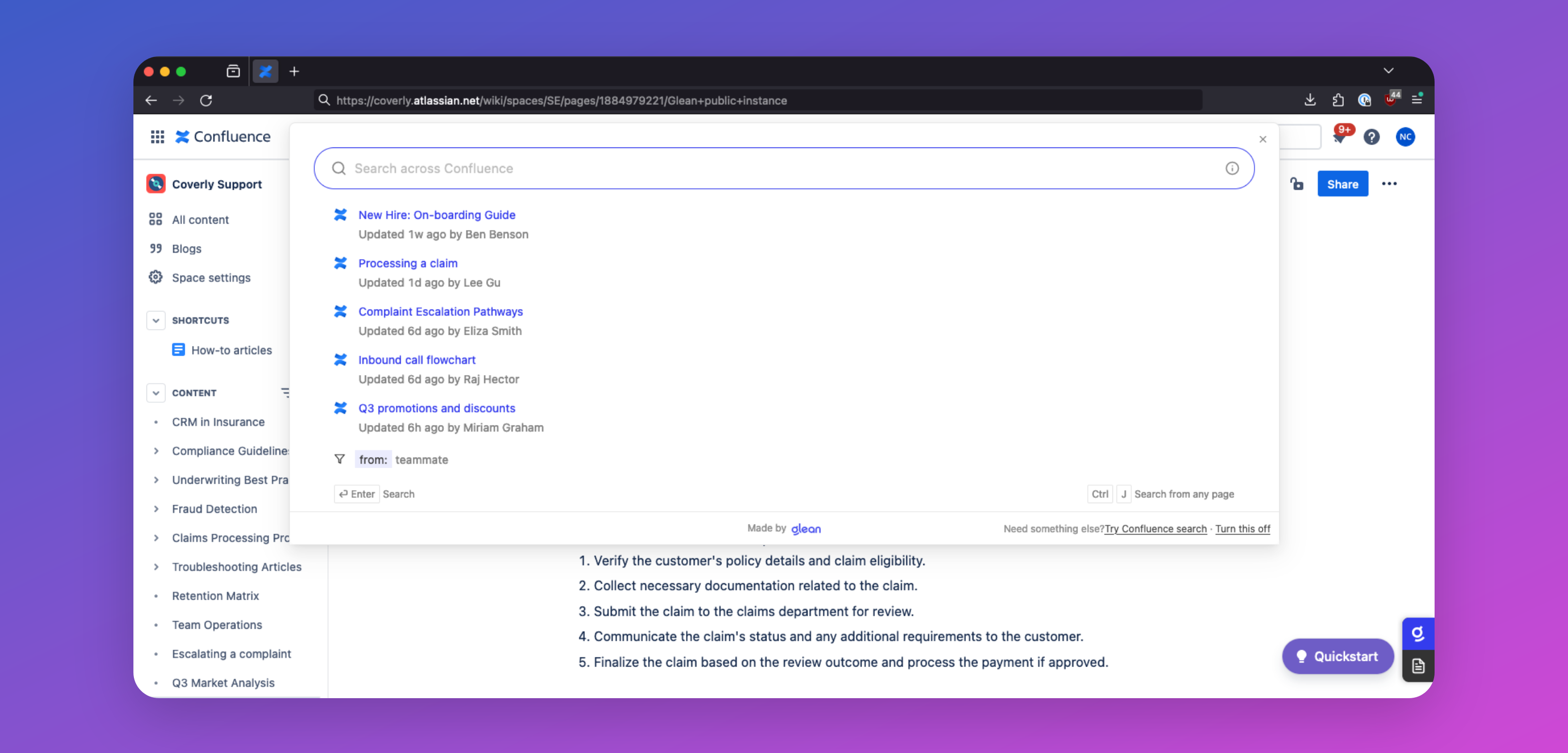
Glean can make searches within other apps better! Clicking or focusing the native search box on Box, Confluence, Google Drive, and Jira opens Glean search instantly in a modal dialog where typing continues to get Glean’s more relevant results.
Go Links
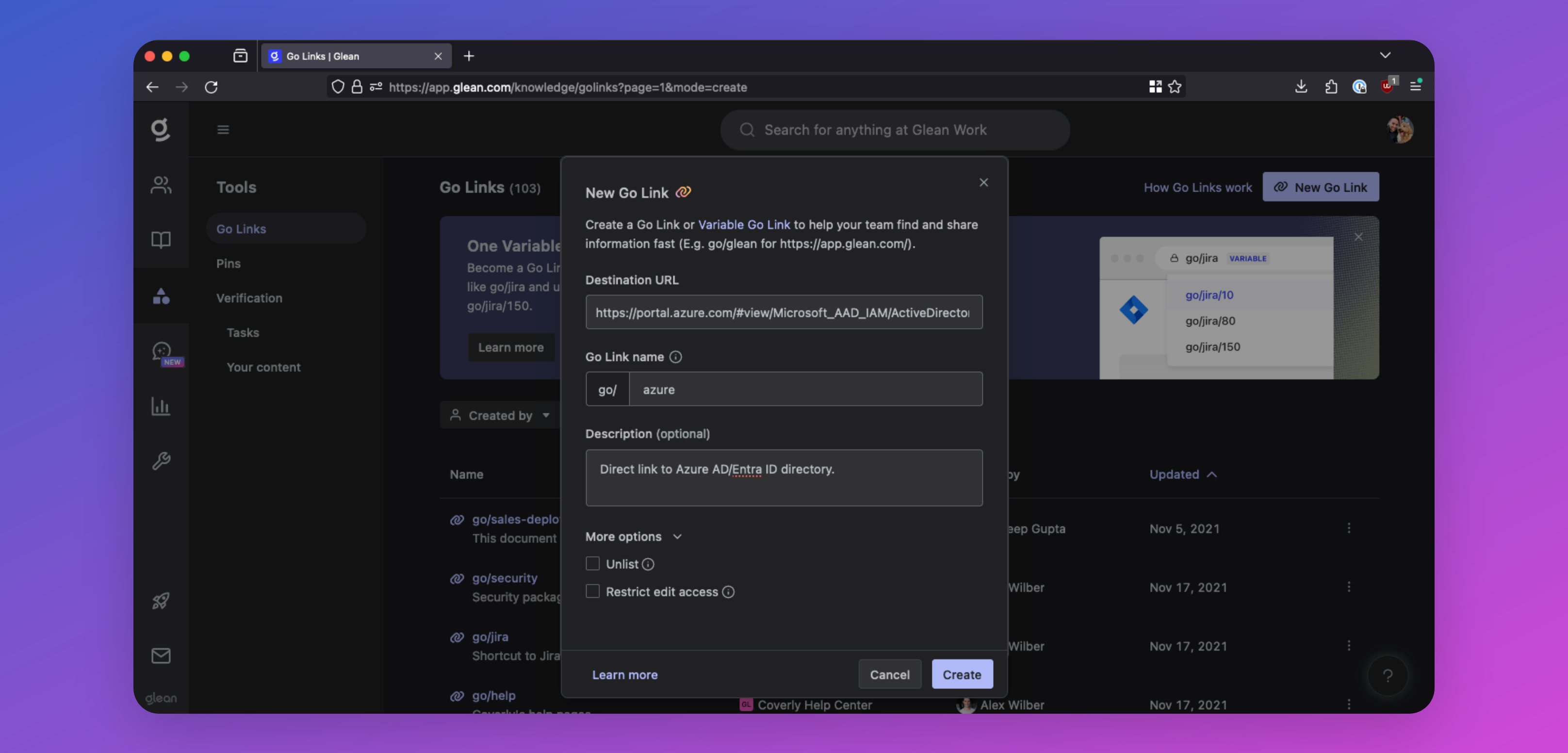
Go Links are short, memorable links that redirect to important URLs within your company. For example, you could create go/401k for your company’s 401k portal, go/it-help for your IT help desk, or go/sprint-planning for your Jira project.
The Glean browser extension enables the use of these Go Links directly from your browser. Simply type your Go Link in the browser URL bar (e.g., go/onboarding), and you will be automatically redirected to the corresponding URL.
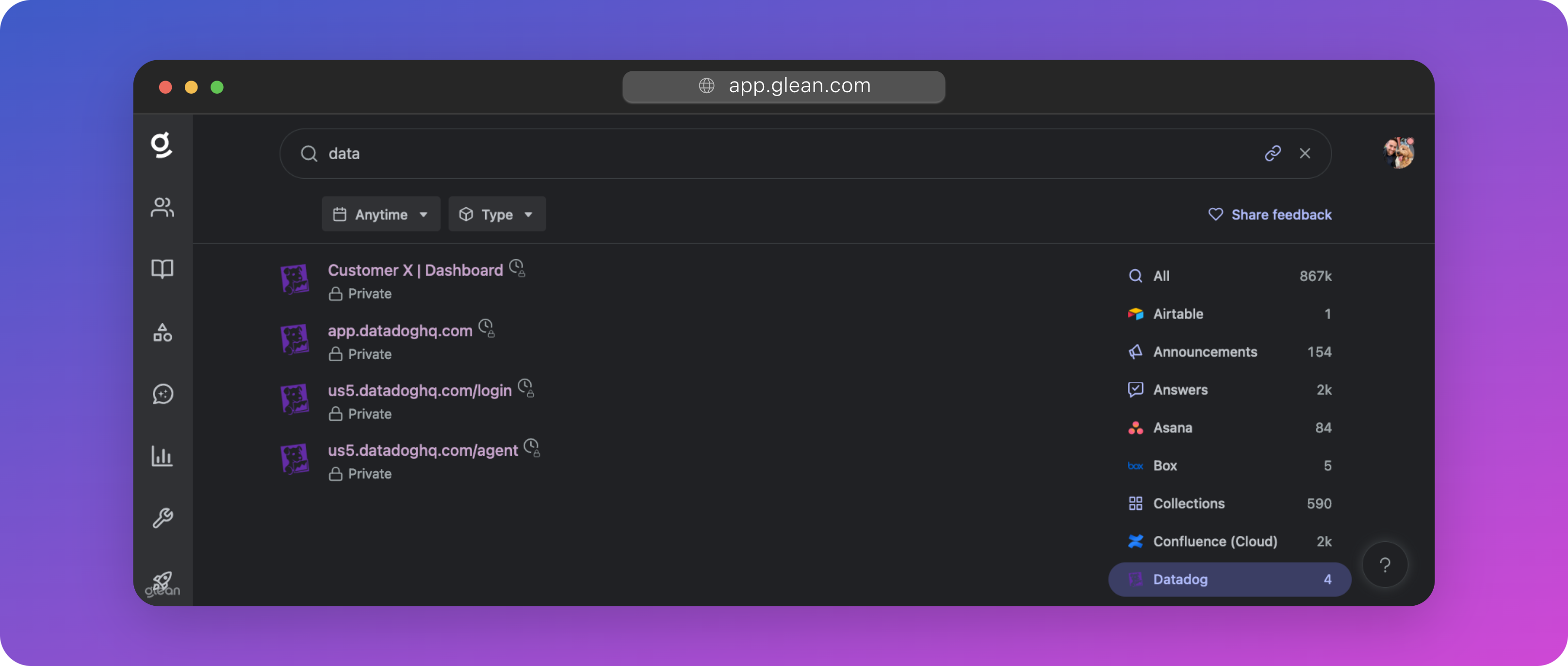
Browser History Search Results
For specific workplace apps in which Glean cannot build out a native connector (typically due to a limited API from the app vendor), the Glean extension can be used in place to allow employees to see results and suggestions from these apps; pulled from their browser history.
Glean will be able to search across the titles of the pages your employees have visited, but because these are history-based results, users will only be able to view content that they have seen before in these workplace apps.
Results from a user's browser history are completely secure and private to the individual user: the company will not be able to see results from a user's browser history.
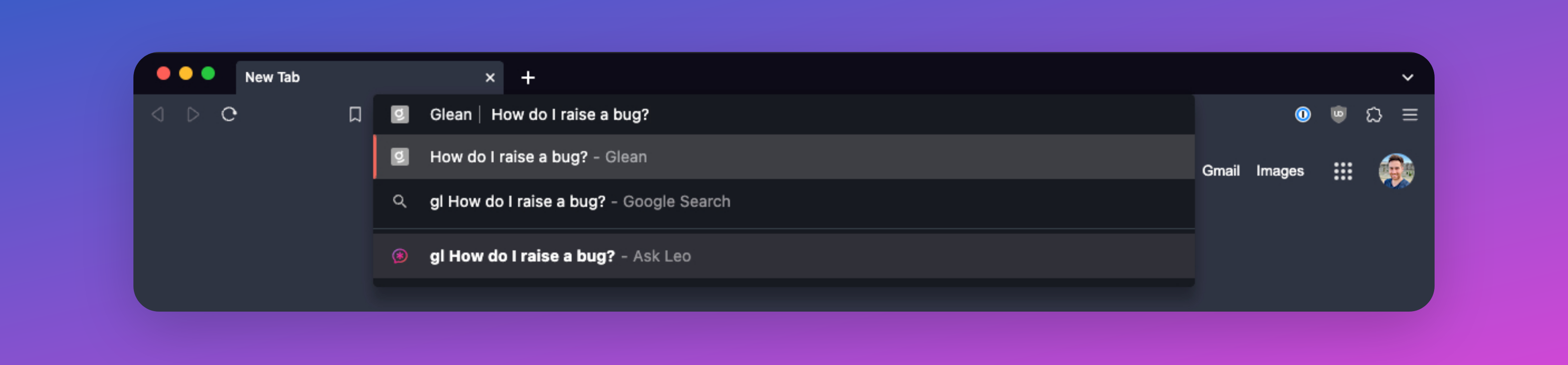
URL Bar Search
Type Gl+tab in any Chromium browser to search Glean directly from the URL bar.
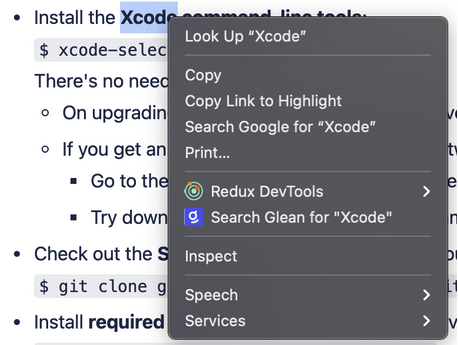
Search from Context Menus
Right-clicking a word or phrase provides an option to search Glean for it.
Enhanced Telemetry & Activity Signals
When using Glean, the extension reports user activity and events back to your Glean tenant so that Glean can provide:
-
Enhanced search result personalization: Glean leverages activity data reported by the extension to learn the relevance of a document and its groupings within an application. This allows Glean to deliver a higher degree of personalization than without the browser extension.
-
Content suggestions: Activity data obtained from the extension helps Glean learn and proactively suggest content that a user might be interested in at any point in time.
-
Insights: The enhanced activity data provides additional analytics available to admins in the Insights dashboard. Glean also uses data captured by the extension (like dwell time) to help improve search rankings.
What information is sent by the browser extension?
-
Each event consists of the page URL, title, referring page URL, visit timestamp, dwell time, and the one-way hash encrypted user ID.
-
Events are only reported for the limited set of URLs that belong to workplace apps that are configured to be connected to Glean (including both API connected and browser history enabled). They’re not sent for all domains to which the extension has host permissions.
-
Care is taken to also prevent this activity reporting for personal instances of an app that is also used in the workplace (e.g. Gmail and Google Drive with an account other than the one logged into Glean are excluded).