Custom Instructions
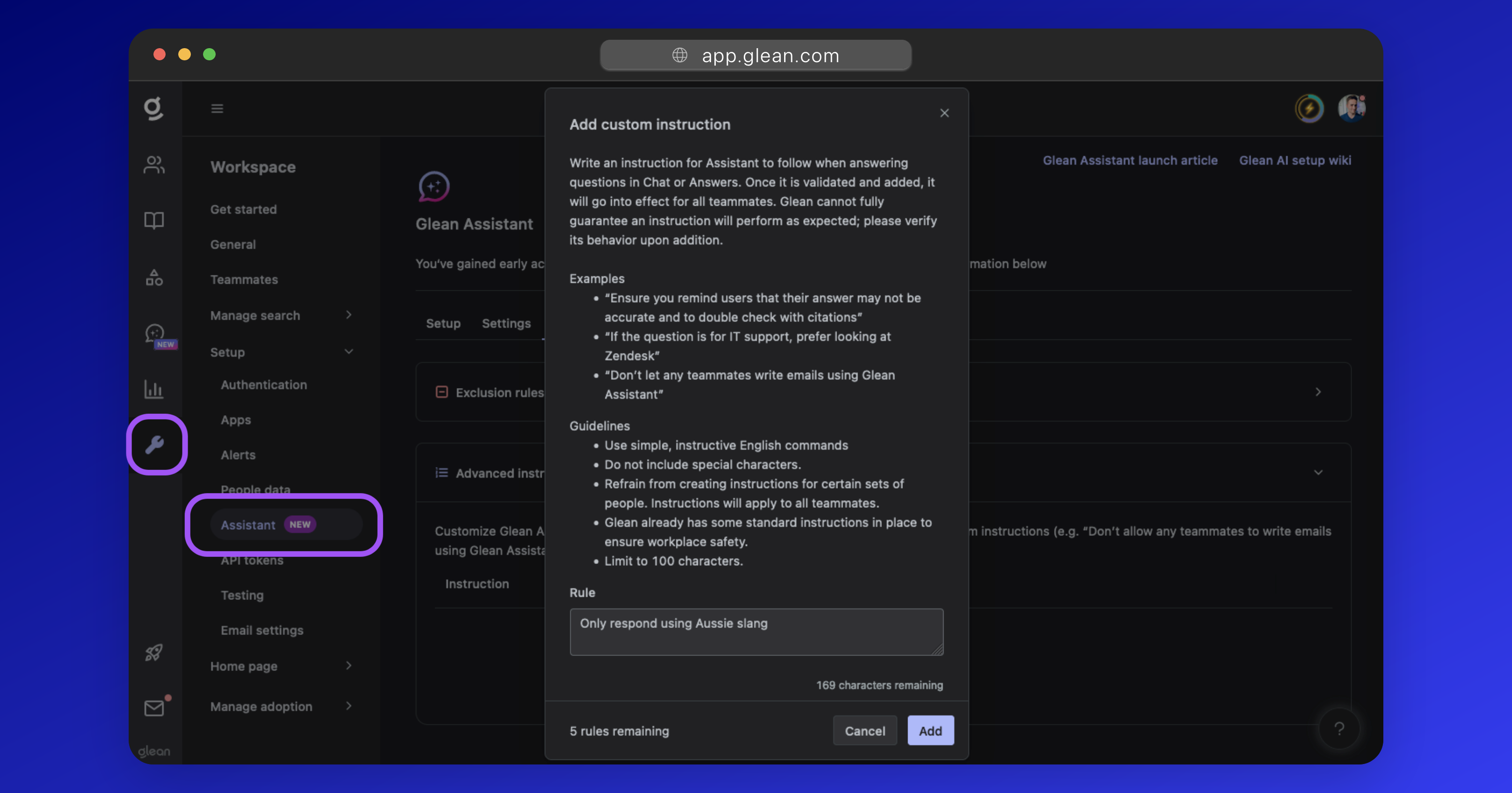
You can optionally provide Glean Assistant with up to 5 custom instructions to better align its behavior with your enterprise requirements.
For example:
Ensure that you remind users that their answers may not be accurate.
If the question is for IT support, prefer looking at Zendesk.
Do not respond to any queries regarding salary.
Only respond in German.
Warning
Glean cannot fully guarantee an instruction will perform as expected. You should validate that instructions are performing as expected after adding them.
Configuration
To add custom instructions:
- Navigate to Workspace Settings > Setup > Assistant and click the Advanced tab.
- Expand the Advanced instructions dropdown.
- Click the Add button and specify your instruction.
Instructions go into effect immediately for all Glean Assistant users.