Receive User Feedback
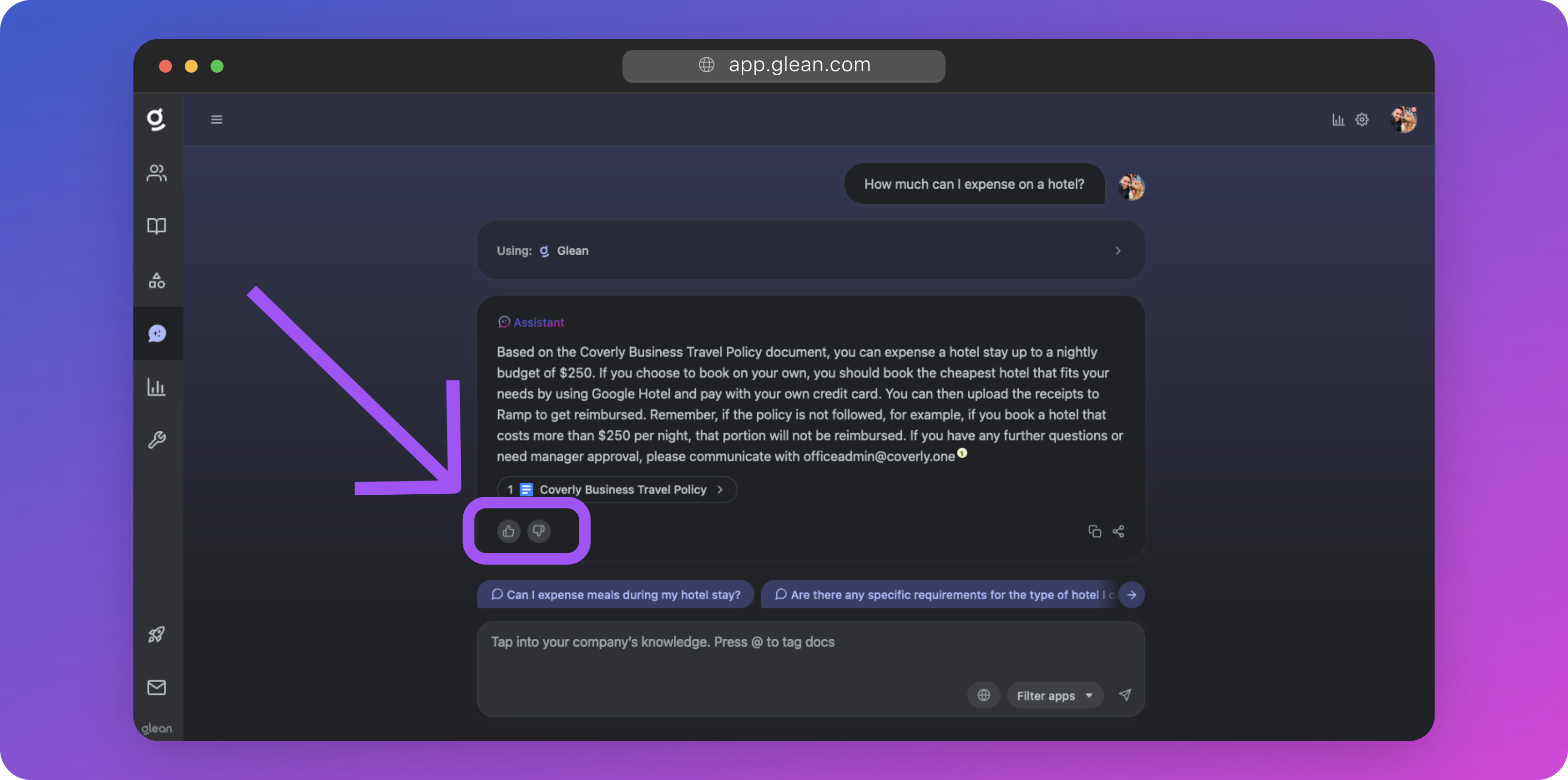
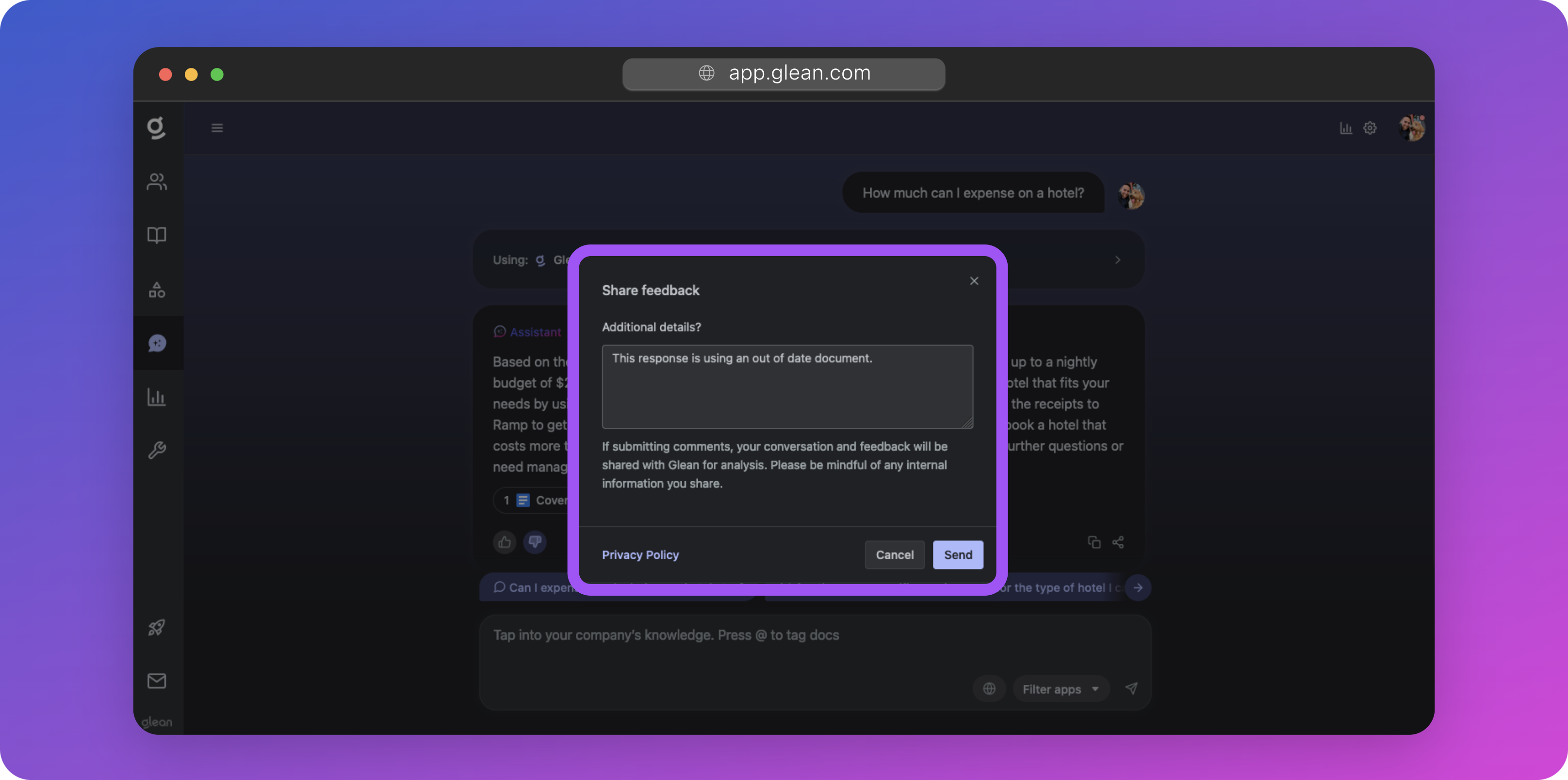
Users can provide feedback to Glean Assistant responses by clicking the upvote (👍) or downvote (👎) buttons included in each response, and providing an optional comment.
You can opt to have this feedback sent to a company email alias for review.
Configuration
Tip
Glean recommends that you configure a separate alias for this to assist in routing and reviews. You may also wish to automatically ingest this feedback into a ticketing system like Jira, Zendesk, or ServiceNow.
To configure feedback emails:
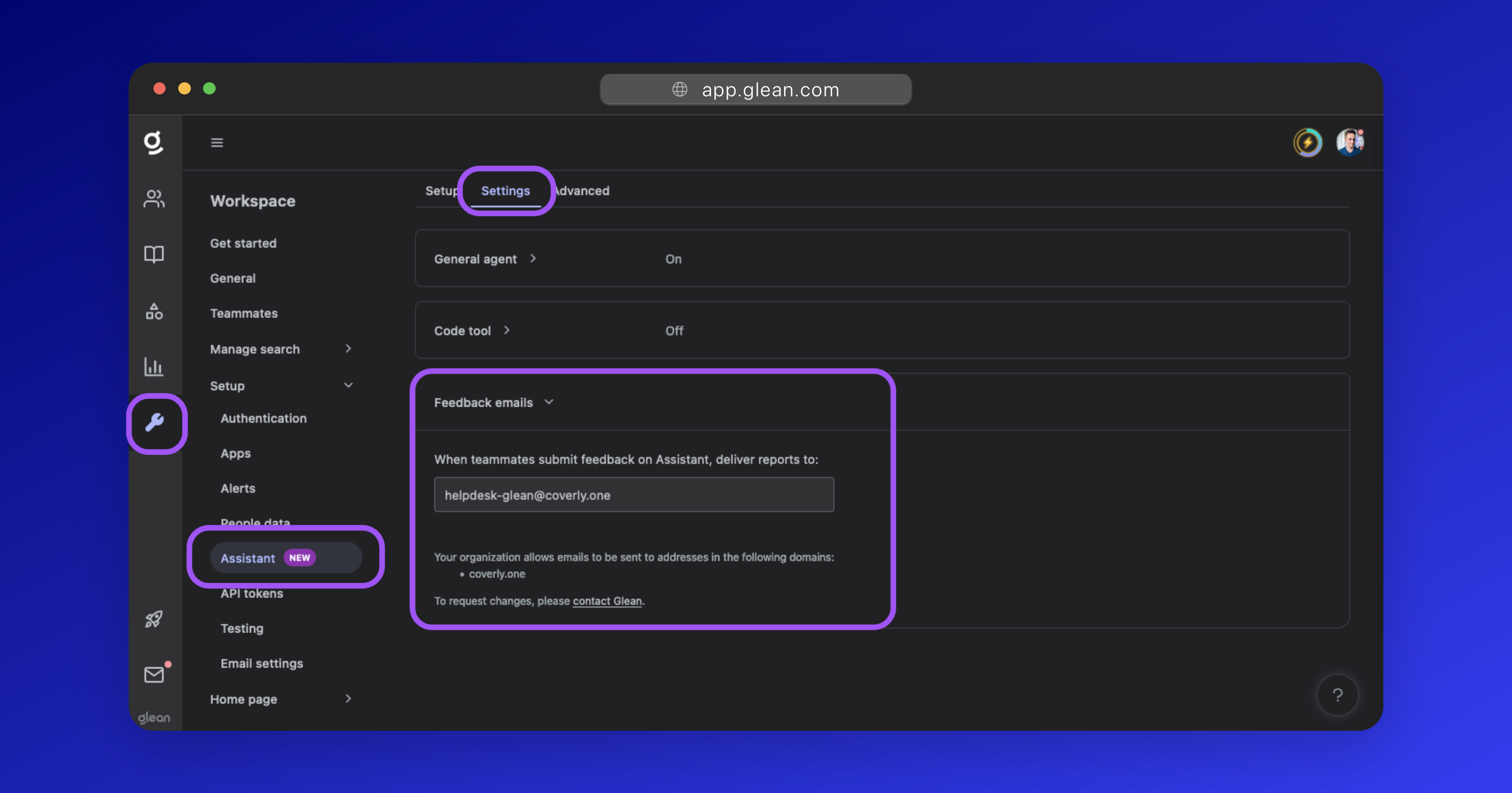
- Navigate to Workspace Settings > Setup > Assistant and click the Settings tab.
- Expand the Feedback emails dropdown, and populate the destination email address.
For security purposes, you are only able to enter an email address belonging to one of your company's domains. If you do not see the domain you wish to send the feedback to, please contact Glean Support to have it added.